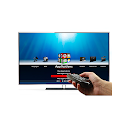
Remote for Freebox
A completely free virtual remote for Freebox HD and Freebox Revolution. Connect through your home Wi-Fi — no need to be close to your Freebox.
Google PlayRemote for Freebox — Key Features
How to Use
Download
Install Remote for Freebox from Google Play.
Connect
Connect your phone and Freebox TV to the same Wi-Fi.
Control
The app detects your TV automatically. Start using it as a remote.
About Remote for Freebox
Freebox is a set-top box from Free, not a television. Remote for Freebox lets your Android phone act as the remote for a Freebox HD or Freebox Revolution through your home network, so you can change channel, adjust the volume and navigate menus without the original remote.
This page explains which Freebox players work, what to enable, and what to do when the app cannot find the box.
Compatible Freebox TVs
Freebox HD
The app supports the Freebox HD player on your home network.
Freebox Revolution
The Freebox Revolution player is supported too, over the same Wi-Fi connection.
Same network as the Freebox
Your phone must be on the same home network as the Freebox. Being connected through mobile data will not work.
Set up your Freebox TV
1. Install the app
Download Remote for Freebox from Google Play.
2. Join your home Wi-Fi
Connect your phone to the Wi-Fi network provided by your Freebox, or to another network on the same box.
3. Open the app
Start the app with the Freebox player switched on. It looks for the player on your network.
4. Enter the remote code if requested
If the Freebox asks for a network remote code, use the one shown in the Freebox player's settings, then the app can send commands.
Troubleshooting
The app cannot find my Freebox
Make sure the Freebox player is on and that your phone is connected to the same network, not to mobile data. A repeater or extra router can put the phone on a different network.
The app asks for a code
Look in the Freebox player's settings for the network remote code and type it into the app. The code identifies your box.
Buttons do not react
Restart the Freebox player and reopen the app. Check that nothing on your network isolates devices from each other.
More TV Remote Apps
Remote for Samsung TV
Turn your phone into a Samsung TV remote. Fast, wireless, intuitive.
Remote for LG TV
Control your LG Smart TV wirelessly. Works with WebOS and Netcast.
Remote for Sony TV
Your Sony Bravia TV, controlled from your phone. Simple and reliable.
Your Phone Is the Best Remote You Already Own
Stop looking for your TV remote. Download the app, connect to Wi-Fi, and take control in seconds. Available for iPhone and Android.